New desktop experience launched!
The GenomeDK Desktop provides graphical access to GenomeDK right in your browser, without the need to install any software on your own computer.
Until recently, the solution only provided access to our frontends where resources are limited, but it still proved to be incredibly popular for the many users that use GenomeDK for light analysis and viewing results of pipeline runs. It looks something like this: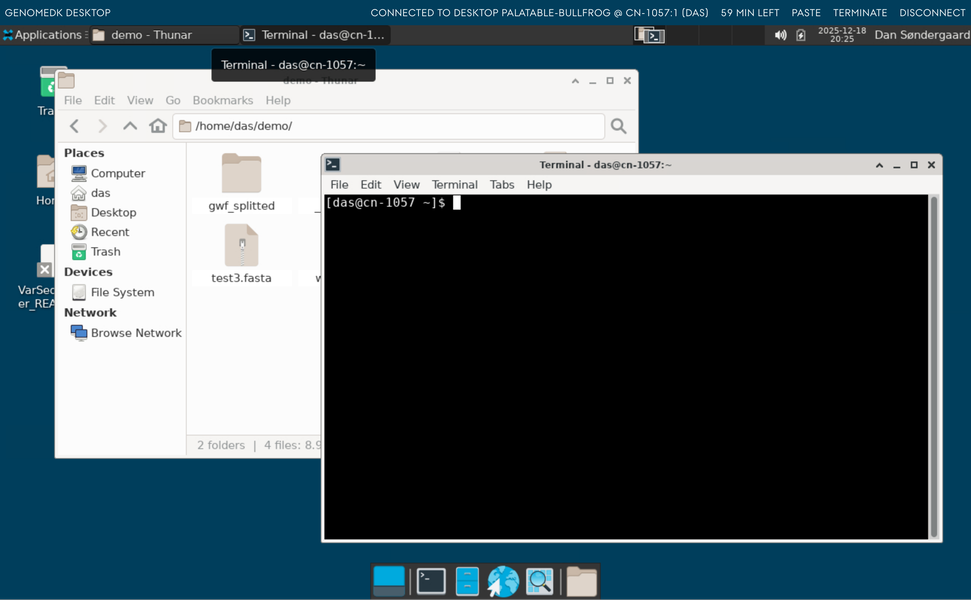
We have now revamped the desktop solution and introduced a range of features to make the desktop even more convenient and powerful.
Desktops with dedicated resources
You can now launch a desktop with dedicated resources and start e.g. RStudio to work on your data set directly, without first launching an interactive job, messing around with X-forwarding, or installing anything on your own computer.
Just log in to the desktop, click “Start a new desktop…”, and choose the amount of resources you need: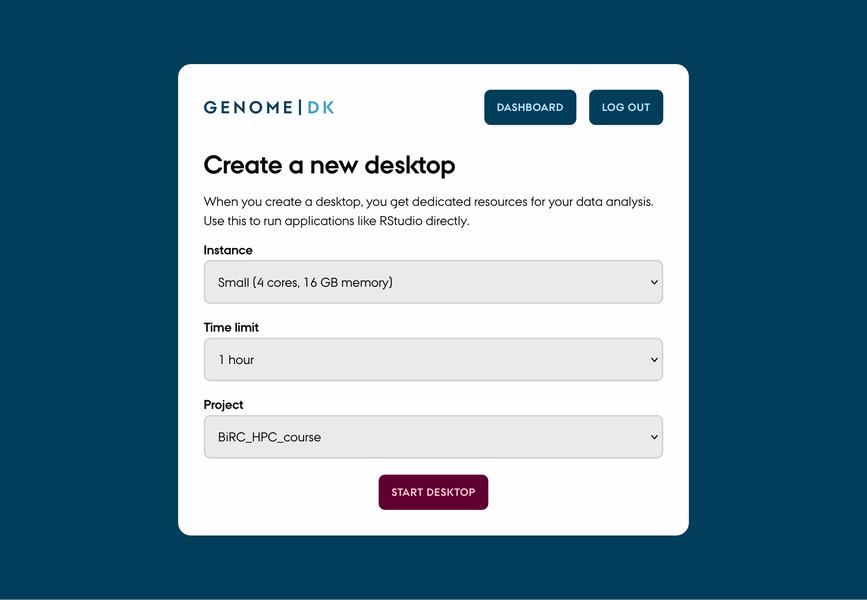
You will then be queued up for a desktop. It may take a couple of minutes for the desktop to launch as resources must be allocated for your session.
It you didn’t get resources allocated for your desktop after 15 minutes, the request will time and and you’ll get redirected to the dashboard.
Improved copy-paste support
Improved copy-paste support makes it faster to paste things into the remote desktop, as well as copy things out of the desktop, providing a much smoother experience.
Copying things out of the desktop now just works. Pasting into the desktop requires clicking the “Paste” button in the upper right corner, as this is required by browsers for security reasons.
Drag-and-drop file uploads
Drag-and-drop file uploads means that you can now drag a file onto the desktop and the file will be uploaded directly to GenomeDK.
We currently support uploading files of up to 4 MB, so this is a convenient way to get scripts and notes uploaded to GenomeDK while working in the Desktop. The file will be put into your ~/Desktop folder for easy access.
Familiar access to frontends
For those cases where you just need to quickly look at a file or edit a script, the desktop still provides direct access to the frontends, just like the old version. Just pick your frontend option on the dashboard: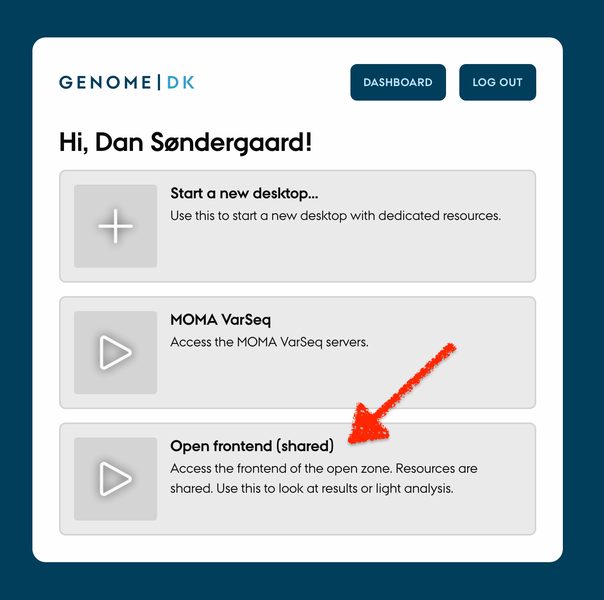
Ideal for teaching
As a course leader, you can use GenomeDK to provide an easy-to-use computational platform to your students. You can set up a project folder for your course, with the data and scripts that you need, and give the students access to the folder.
With the new Desktop, course leaders can request a reservation that fits the number of students and the resources required by each student, such that desktops will launch instantly. Students just start a dedicated desktop session under the course project folder and they’ll automatically use the reserved resources.
If you’re a course leader and want to hear more, feel free to contact support.
Available to all users today
The solution has become available to all users – including users in the iPSYCH and Brain zones – today.
Just go to desktop.genome.au.dk to log in and get started!